Free Government Tablet in Washington: Safe Lifeline and Benefit Options in 2026
Washington residents can safely check free or discounted tablet options through Lifeline-related provider offers, Basic Food/SNAP, Apple Health Medicaid, income eligibility, libraries, assistive technology, and local digital access resources. There is no guaranteed federal or statewide tablet giveaway. A device depends on the provider, ZIP code, coverage, stock, condition, activation, shipping, copay, and current rules.
A free government tablet in Washington is possible only through a current provider or community offer, not an automatic state benefit. Lifeline remains active and mainly discounts phone or internet service. SNAP, EBT, Apple Health, SSI, housing assistance, veterans benefits, Tribal assistance, or income may help prove eligibility, but none guarantees a tablet. Free Tablet Apply is independent and informational only. It does not approve benefits or ship devices.
Quick Answer for Washington Residents
Best answer for Washington residents
Start with official eligibility verification, then check provider availability for your exact home address. Washington Basic Food/SNAP, an EBT card, Apple Health Medicaid, SSI, Federal Public Housing Assistance, Section 8, Veterans Pension, Survivors Benefit, qualifying Tribal assistance, or household income may support Lifeline eligibility. These benefits are proof routes, not tablet vouchers. A device may be a basic Android model, refurbished, discounted rather than free, limited in stock, or unavailable.
The safest order is eligibility first, address check second, and device terms third. Do not begin by sending documents to a social media account that promises instant approval. Use the National Verifier or another official Lifeline process when required, and confirm the company name before submitting personal information.
Washington geography matters. Strong service in central Seattle or Tacoma does not prove the same provider works at an address on the Olympic Peninsula, in the San Juan Islands, near the Cascades, on Tribal lands, or in a sparsely populated eastern county. Ferry routes, mountain terrain, rural delivery addresses, and gaps in mobile or broadband coverage can affect service and shipping.
What “Free Government Tablet” Means in 2026
The phrase often describes a private provider device promotion connected to low-income eligibility. It does not mean the State of Washington, FCC, USAC, DSHS, or Apple Health automatically sends a tablet. The government may set eligibility rules or verify participation, while the provider controls its device offer.
The Affordable Connectivity Program, known as ACP, ended. Households stopped receiving ACP discounts on June 1, 2024. ACP once supported a monthly broadband discount and a one-time connected-device discount from participating providers. That ACP device route is not open for new 2026 applications.
Lifeline is still active. It mainly reduces the monthly cost of eligible phone, internet, or bundled service. Lifeline by itself does not promise a phone and tablet together. Any device is subject to a separate provider offer and its terms.
ACP
A former federal affordability program. ACP discounts stopped after June 1, 2024, so an “ACP tablet 2026” promise should be treated carefully.
Lifeline
An active FCC program administered by USAC that can reduce eligible phone, internet, or bundled service costs.
National Verifier
The eligibility system used for many Lifeline checks. It may request identity, address, benefit, household, or income proof.
No tablet, model, approval time, shipping date, or inventory is guaranteed. What is possible is a safe eligibility check. What depends on provider rules is the device, price, condition, activation, service plan, delivery, and availability.
Does Washington Have a Free Tablet Program?
I could not confirm a separate official statewide free tablet program that gives every eligible Washington resident a device. The realistic paths are Lifeline service, provider promotions, discounted devices, local library access, nonprofit support, digital access resources, community action referrals, and assistive technology services.
Washington does have relevant programs and entities. The Department of Social and Health Services, DSHS, calls SNAP “Basic Food.” Benefits are generally accessed through Washington EBT. Washington Medicaid is called Apple Health and is overseen by the Washington State Health Care Authority. These programs can help establish eligibility, but neither is a tablet distribution program.
The Washington State Broadband Office at the Department of Commerce works on broadband access and digital equity. Its work addresses the gap in internet access, devices, and digital skills. It should not be read as an individual tablet guarantee.
The Washington State Library supports a directory of libraries. Local library systems may offer public computers, Wi-Fi, printing, help with online forms, job-search resources, and digital skills classes. Hours, card rules, device lending, and computer limits differ by library, so check locally.
The Washington Assistive Technology Act Program, WATAP, serves people with disabilities and older adults. It offers assistive technology demonstrations and a device lending library so a person can try equipment before making a financial decision. WATAP is useful for accessibility needs, but its loan program is not the same as a permanent free tablet giveaway.
The Washington State Community Action Partnership lists local Community Action Agencies serving every county through its network. An agency may help with broader household needs or referrals. It should not be presented as a guaranteed tablet source.
What this page can and cannot confirm
- Can confirm: ACP ended, Lifeline is active, and qualifying benefits or income may support Lifeline eligibility.
- Can explain: Safe documents, address checks, official resources, and alternatives for Washington residents.
- Cannot confirm: Exact provider inventory, a specific Android model, a free device, approval speed, shipping date, or coverage at every address.
- Cannot do: Free Tablet Apply cannot enroll you in benefits, request an EBT PIN, approve Lifeline, or send a tablet.
Main Ways Washington Residents May Qualify
Lifeline generally allows program-based or income-based eligibility. The applying household must satisfy the current rules and any verification request. Only one Lifeline benefit is allowed per household, not one per person.
Basic Food / SNAP
Active Washington Basic Food participation may support eligibility. An EBT card alone may not contain enough current information, so keep the benefits notice.
Apple Health Medicaid
Apple Health can be an accepted qualifying program. Use current coverage proof that connects the applicant or household to the benefit.
Income and benefits
SSI, Federal Public Housing Assistance, Section 8, Veterans Pension, Survivors Benefit, accepted Tribal programs, or qualifying income may provide another route.
| Eligibility route | Washington example | What it can establish |
|---|---|---|
| SNAP | Basic Food approval or participation notice | Program participation, not a guaranteed tablet. |
| Medicaid | Apple Health eligibility or coverage notice | A possible Lifeline eligibility path. |
| SSI | Current benefit or award letter | Accepted program participation when rules are met. |
| Housing | Federal Public Housing Assistance or Section 8 proof | Household program participation. |
| Veterans | Veterans Pension or Survivors Benefit proof | A qualifying benefit under Lifeline rules. |
| Tribal programs | Accepted Tribal assistance for residents who qualify | Program eligibility and possible enhanced Tribal support. |
| Income | Pay stubs, tax return, unemployment statement, or other accepted proof | Household income under the current Lifeline limit. |
EBT/SNAP Free Tablet Options in Washington
Basic Food is Washington's name for SNAP. DSHS administers the program, and eligible households use Washington EBT to access food benefits. Basic Food participation may help prove Lifeline eligibility, but DSHS and the EBT card do not promise or issue a tablet.
If a provider asks for proof, a current Basic Food notice is usually more useful than a photo of an EBT card because the notice may show the participant, program, and relevant dates. Never send the card's PIN. An honest tablet or Lifeline application does not need permission to spend your food benefits.
Review the site's tablet with EBT guide for the difference between proof of eligibility and a device offer. If the name on your DSHS notice differs from the application, correct the mismatch or provide accepted supporting proof before trying again.
Medicaid Free Tablet Options in Washington
Washington Medicaid is called Apple Health. The Health Care Authority oversees the program, while application and account routes can differ by age and circumstances. Many adults and families use Washington Healthplanfinder, while some older adults, people who are blind or disabled, and applicants needing long-term services use Washington Connection.
Apple Health can help prove Lifeline eligibility, but Apple Health does not automatically mail a tablet. A ProviderOne services card or plan card may not show all information a verifier requests. A current eligibility or coverage notice may be stronger proof.
If a child receives Apple Health but an adult is completing the provider enrollment, read the household and applicant rules carefully. Do not state that every Medicaid household gets a device. The provider still controls ZIP eligibility, inventory, activation, shipping, device condition, and any copay.
Lifeline Tablet and Phone Options in Washington
Lifeline's core benefit is a monthly service discount. The program uses the National Verifier in many cases, followed by enrollment with a participating phone or internet company. The household rule prevents multiple Lifeline discounts for people who share income and expenses as one economic household.
A provider may offer only service, a phone, a SIM, a discounted tablet, or no device. Confirm whether the offer involves a refurbished or basic Android device, whether activation is required, whether service must remain active, and whether shipping or a copay applies.
Provider pages can help you understand common terms, but they do not prove Washington availability. Review Lifeline phone and tablet options, StandUp Wireless tablet information, Assurance Wireless tablet guidance, SafeLink tablet information, and AirTalk Wireless tablet options. Verify the exact address directly before relying on any listing.
Documents You May Need
| Document type | Possible examples | Washington problem to check |
|---|---|---|
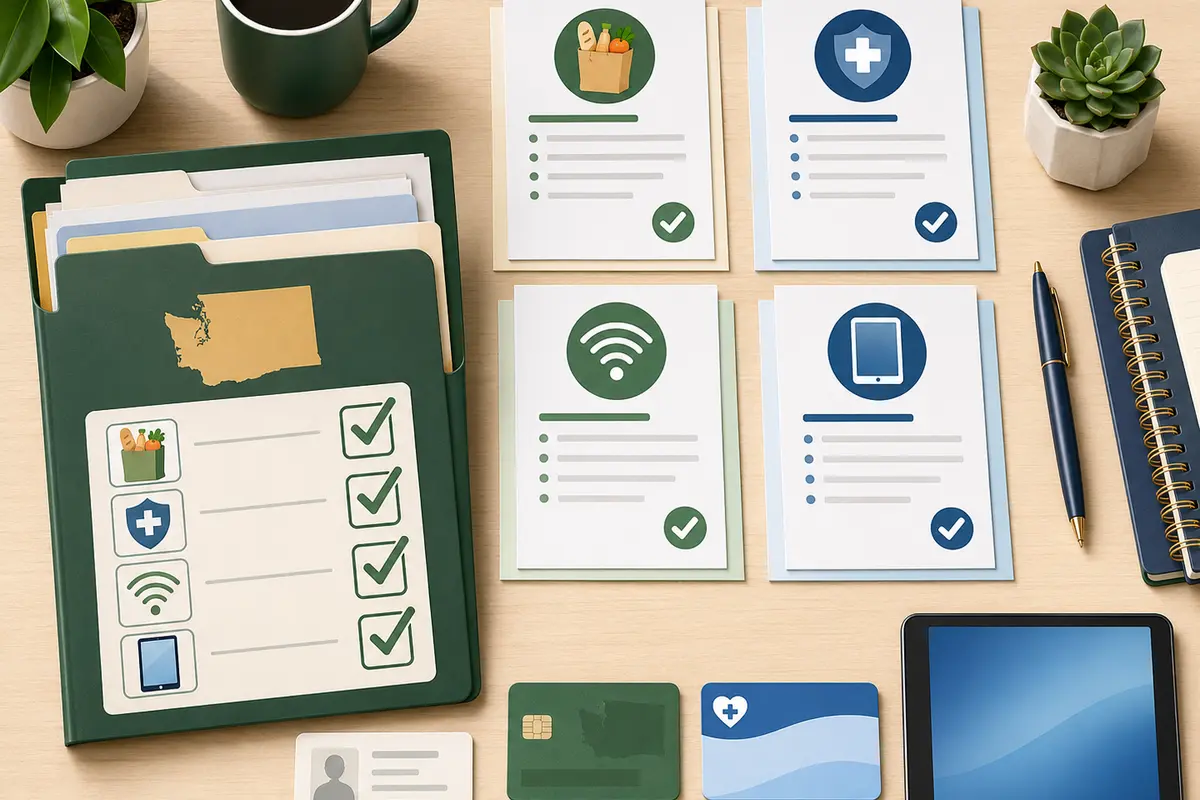
| Identity | Accepted photo ID or official identity record | Use the same legal name and date of birth as the application. |
| Home address | Lease, utility bill, official mail, or accepted address proof | Include apartment, unit, rural route, or physical service details. |
| Basic Food | Current DSHS approval or participation notice | An EBT card alone may not show current eligibility. |
| Apple Health | Eligibility or active coverage notice | A ProviderOne or health plan card may not contain every requested detail. |
| Income | Pay stubs, tax return, benefits statement, or other accepted proof | Household size and income period must match the application. |
| Household | Lifeline Household Worksheet when requested | Roommates can be separate households only if they do not share income and expenses. |
A common Washington issue is using a P.O. Box or mailing address where the provider needs a physical service address. Island, rural route, shelter, and Tribal-area applicants should follow the official instructions for temporary or nonstandard addresses. For more detail, use the government tablet documents checklist.
Step-by-Step Application Path
- Choose your eligibility route. Identify Basic Food, Apple Health, SSI, housing assistance, veterans benefits, Tribal assistance, or income proof.
- Check the one-per-household rule. Complete the Household Worksheet if another person at the address already receives Lifeline.
- Use official verification. Complete the National Verifier process when required and save the application information.
- Search by physical address. Use the exact Washington ZIP code and service address, not only the city or county.
- Compare the service and device separately. Ask what Lifeline covers and what the provider is offering as a promotion.
- Read all costs. Check activation, shipping, copay, replacement, data, and continued-service terms.
- Submit only necessary documents. Do not provide an EBT PIN, bank login, SSN through social media, or unrequested financial information.
- Keep records. Save confirmation pages, provider terms, and a copy of submitted proof.
Use the complete how to apply guide for a safer sequence.
Provider Availability and ZIP Code Checks
A ZIP code is the starting point, not the final answer. Providers may check the full address because one ZIP can contain several coverage conditions. Washington's terrain and settlement pattern make this important.
Metro and apartment addresses
Seattle, Tacoma, Bellevue, Everett, Spokane, and Vancouver applicants may face unit-number or duplicate-household checks in large buildings. Enter the unit consistently on every document.
Rural and mountain coverage
The Cascades, Olympic Peninsula, central farming areas, northeast counties, and remote coastal communities can have different mobile coverage, broadband, and delivery conditions.
Islands and ferry-served areas
San Juan, Island, Kitsap, and other ferry-connected locations may have address, delivery, or network differences. Confirm the physical service location.
Tribal communities
Residents on qualifying Tribal lands should check current Tribal Lifeline rules and local coverage. Enhanced service support does not automatically include a tablet.
Use the government tablet near me guide to understand address checks. Never treat a provider list as proof of stock.
What To Do If No Tablet Offer Is Available
- Use Lifeline for eligible phone or internet service even when no tablet promotion exists.
- Ask a local public library about computers, Wi-Fi, printing, classes, and any device or hotspot lending rules.
- Check WATAP if disability or aging creates a need for accessible technology, demonstrations, or a short-term device loan.
- Use the Washington State Community Action Partnership directory to locate the agency serving your county.
- Review Washington State Broadband Office resources for digital equity and connectivity information.
- Compare an honest low-cost or refurbished tablet with the total cost of any provider offer.
- Ask a school, community college, WorkSource location, senior center, veterans organization, or Tribal program about local access options.
For device expectations, review the government Android tablet guide. Do not assume a premium Samsung tablet or iPad is included unless written terms confirm the exact offer.
Special Groups in Washington
Seniors and people with disabilities
Eligibility may come through Apple Health, SSI, Basic Food, income, housing, or veterans benefits. Local libraries and WATAP may help with access or accessibility. See tablet options for seniors.
Veterans and surviving family members
Veterans Pension or Survivors Benefit can support Lifeline eligibility when the rules are met. Read the tablet guide for veterans.
Families receiving Basic Food
Use a current DSHS notice as proof when accepted. Keep the EBT PIN private and remember that SNAP eligibility does not reserve device stock.
Apple Health households
Use current eligibility proof. Check whether the applying adult, child, or household member named on the notice matches the provider's rules.
Rural residents and adult learners
Libraries, community colleges, WorkSource resources, and broadband programs may be more dependable than waiting for a tablet promotion in a limited-coverage ZIP code.
Tribal residents
Some residents on qualifying Tribal lands may receive enhanced Lifeline support or qualify through accepted Tribal programs. Confirm the current official rule and local provider coverage.
Scam Warnings for Washington Residents
Fake tablet offers often copy government colors, agency names, or provider language. A logo does not prove that a page is official.
Stop if an offer asks for:
- Your EBT PIN or permission to use food benefits.
- Your bank login, debit-card PIN, gift card, or payment through a chat account.
- A full SSN sent by direct message, text, or an unverified form.
- Immediate payment to “hold” stock or prevent cancellation.
- Trust based only on a government-looking seal or social media page.
Other warning signs include guaranteed approval, same-day shipping, no provider name, no privacy information, no official verification path, and a promise that every EBT or Medicaid recipient receives the same tablet.
Helpful Checklist Before You Apply
- I know which eligibility route I will use.
- My name, date of birth, and physical address match my documents.
- My Basic Food or Apple Health proof is current and readable.
- I understand the one-Lifeline-benefit-per-household rule.
- I checked the exact ZIP code and physical service address.
- I separated the Lifeline service benefit from the tablet promotion.
- I read the device condition, copay, activation, shipping, and replacement terms.
- I confirmed the provider name and official application path.
- I will not share an EBT PIN, bank login, or unnecessary sensitive data.
- I have a library, WATAP, community action, or low-cost device fallback.
FAQs About Free Tablets in Washington
Can I get a free government tablet in Washington in 2026?
You may find a free or discounted provider offer, but Washington does not guarantee a tablet for every eligible resident. Check Lifeline eligibility and then verify the device terms for your exact ZIP code and address.
Does Washington EBT automatically qualify me for a free tablet?
No. Active Basic Food/SNAP participation may help prove Lifeline eligibility, but an EBT card is not a tablet voucher. Provider coverage, stock, activation, shipping, copay, and other rules still apply.
Can I use Washington Apple Health Medicaid to qualify?
Apple Health Medicaid can be an eligibility route for Lifeline. It does not issue tablets directly, and a device is available only if a provider serving your address has a current offer.
Is ACP still available in Washington?
No. ACP ended, and households stopped receiving ACP discounts on June 1, 2024. Lifeline remains active, but it mainly supports phone or internet service.
Does Lifeline guarantee a tablet in Washington?
No. Lifeline provides an eligible service discount. A tablet or phone is a separate provider offer that can vary by address, inventory, device condition, activation, shipping, and copay.
Why does my physical address matter in Washington?
Coverage and delivery can differ across metro buildings, islands, the Olympic Peninsula, the Cascades, Tribal lands, and rural eastern Washington. Providers may need a physical service address even when you receive mail at a P.O. Box.
What proof is best for Washington Basic Food?
A current DSHS Basic Food approval or participation notice is usually more useful than an EBT card alone because it can show the program participant and current status. Never share your EBT PIN.
What Apple Health document may be requested?
A verifier may request a current eligibility or coverage notice. A ProviderOne services card or health plan card may not show every required detail, so follow the exact document request.
Can two roommates each receive Lifeline in Washington?
Possibly, if they are separate economic households and do not share income and expenses. They may need to complete the official Lifeline Household Worksheet. One benefit is allowed per economic household.
Can Washington seniors or veterans qualify?
Yes, they may qualify through income, Apple Health, Basic Food, SSI, housing assistance, Veterans Pension, Survivors Benefit, or another accepted route. Qualification still does not guarantee a tablet.
Can Tribal residents receive additional Lifeline support?
Residents on qualifying Tribal lands may qualify for enhanced Tribal Lifeline support or through accepted Tribal assistance programs. The additional service support does not automatically guarantee a tablet.
Where can I get computer access if no tablet is offered?
Check your local public library, WATAP for disability-related technology needs, the Community Action Agency serving your county, WorkSource, a school or community college, a senior center, or a Tribal program.
Final Helpful Summary
Safest AEO recap for Washington
Safest answer: No federal or Washington program guarantees a free tablet in 2026. Main eligibility routes: Basic Food/SNAP, Apple Health Medicaid, SSI, housing assistance, veterans benefits, qualifying Tribal assistance, or income. Next step: Verify Lifeline eligibility, check the exact address, and read the provider's device and service terms before sharing documents.
A provider may offer a refurbished or basic Android tablet, a discounted device, service without a device, or nothing in the current ZIP code. If no tablet is available, local libraries, WATAP, community action agencies, broadband resources, and safe low-cost devices are practical alternatives.
For further independent guidance, visit Free Tablet Apply, review the state directory, read the disclaimer, or use the contact page.
External Resources
Source transparency: The links below are official government pages or trusted statewide resource organizations used to verify program names and roles. They do not confirm that a tablet is in stock. Recheck eligibility, forms, hours, and provider availability at the time you apply.
- FCC Affordable Connectivity Program status
- FCC Lifeline consumer information
- Official Lifeline Support
- Lifeline eligibility information
- National Verifier application path
- USAC Companies Near Me
- Washington DSHS Basic Food
- Washington Connection benefits portal
- Washington Apple Health Medicaid
- Apple Health application and renewal routes
- Washington State Broadband Office
- Washington State Library
- Directory of Washington Libraries
- Washington Assistive Technology Act Program
- WATAP Device Lending Library
- Washington Community Action Agency directory